Live demos
See WebAR working on your own phone
Five sample campaigns the Vi3w team built as custom B2B work, with effects beyond the editor's built-in features. Scan a code, open it in your browser — nothing to install. iPhone and Android.
On a computer? Scan the QR code with your phone.
- Featured
Voice: AI-generated (Azure AI Speech)
Life-size AR docent
Custom B2B buildPoint at the floor and a life-size docent stands on it, explaining the artwork with gestures, voice and subtitles — in the visitor’s language. Android runs in the browser; iPhone opens it through an App Clip — nothing to install.
What you need
- 1Nothing to prepare — a well-lit floor with some texture. Turn your sound on.
- 2Open the demo and point the camera at the floor. On iPhone, tap “Open App Clip” on the next screen.
App Clips don't open on Apple accounts under 13 or with Ask to Buy turned on.
Request a custom build
Scan with your phone camera
Open on phone 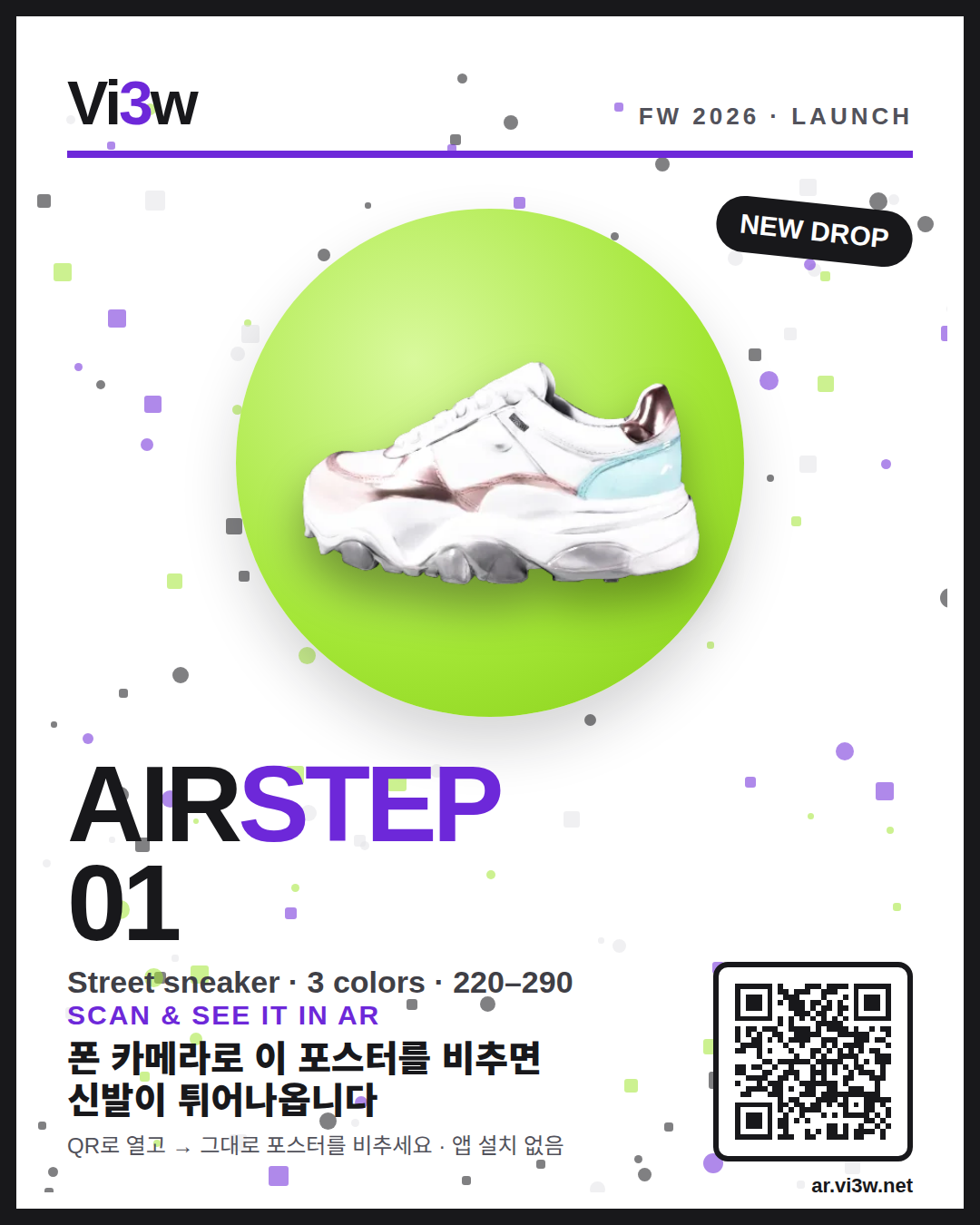 Demo A
Product launch campaign
Custom B2B buildPoint your camera at the poster and the sneaker pops out at real size. A mascot presents it with voice, and hotspots show materials and sizes.
What you need
- 1Show the launch poster on another screen or print it.
- 2Open the demo on your phone and tap Start AR.
- 3Point the camera at the poster. Drag to spin the sneaker, tap the dots, try “View in your space”.
Request a custom build
Scan with your phone camera
Open on phone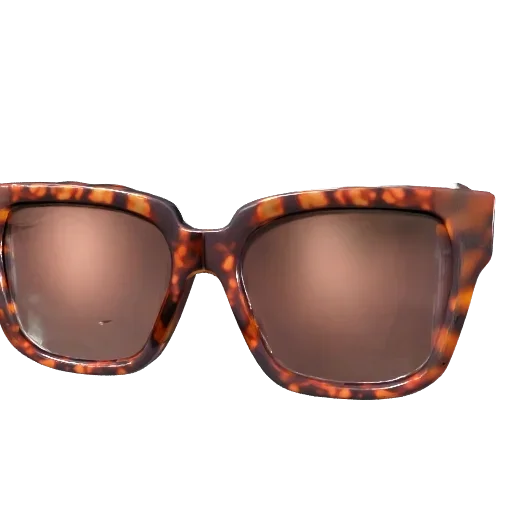 Demo B
Sunglasses try-on
Custom B2B buildThe front camera puts designer sunglasses on your face. Turn your head to see how they look and snap a photo to share. Everything runs on your phone — no face data is stored or sent.
What you need
- 1Nothing to prepare — just your face.
- 2Open the demo, allow the front camera, look at the screen.
Request a custom build
Scan with your phone camera
Open on phone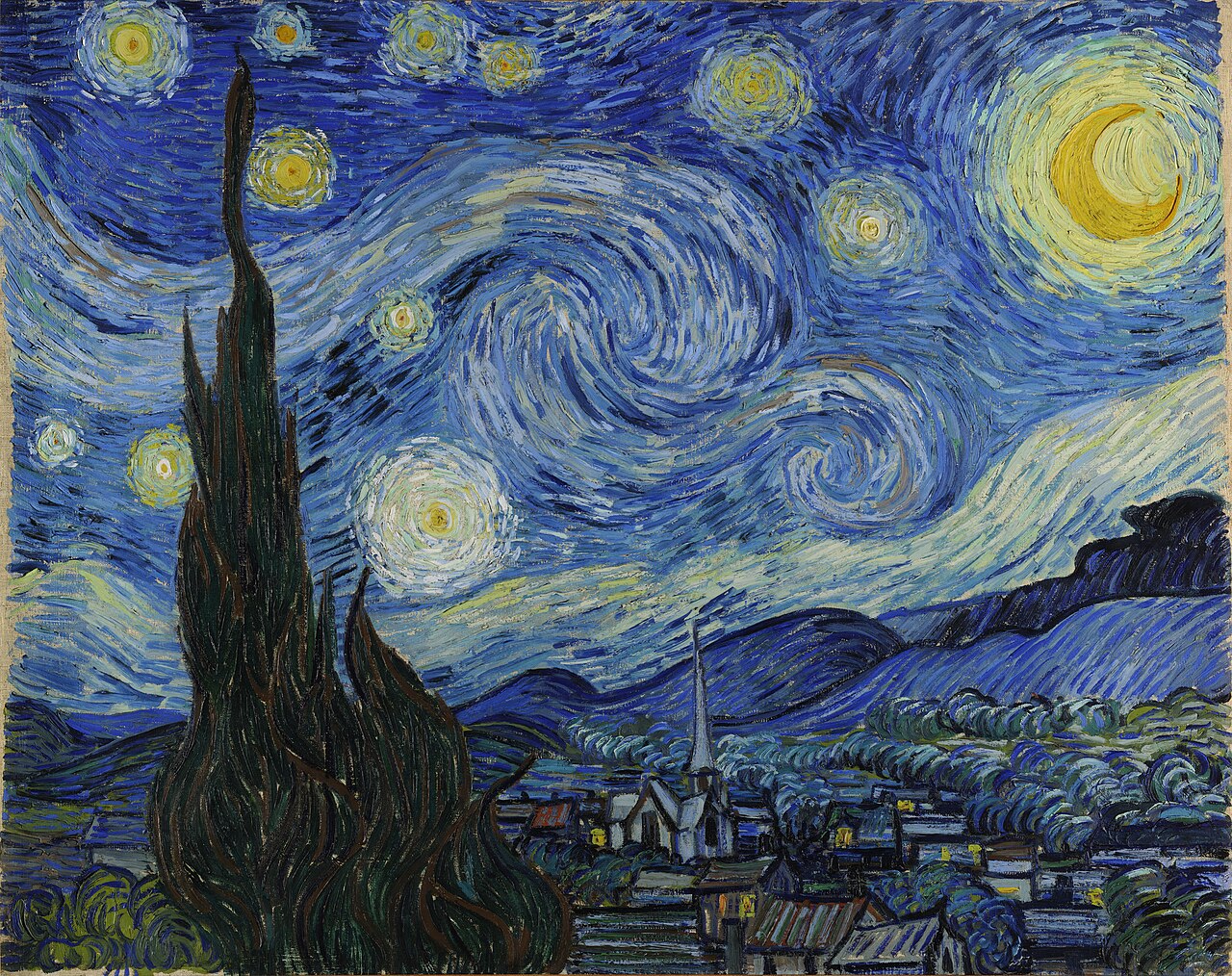 Demo C
Docent at the artwork
Custom B2B buildPoint at The Starry Night and a life-size docent appears beside it, explaining the painting with voice and subtitles in your language.
What you need
- 1Show The Starry Night on another screen or print it.
- 2Open the demo, tap Start, point the camera at the painting.
Request a custom build
Scan with your phone camera
Open on phone- Demo D
Floor placement
Custom B2B buildHands-onNo marker, no poster. Point at the floor and a life-size mascot stands on it. Android runs in the browser; iPhone opens its built-in AR viewer right away — nothing to install.
What you need
- 1Nothing to prepare — a well-lit floor with some texture.
- 2Open the demo, tap Start AR (View in AR on iPhone), point the camera at the floor.
Request a custom build
Scan with your phone camera
Open on phone
Need a campaign like these?
These demos are custom B2B builds the Vi3w team makes for each brand — narrated docents, talking characters, virtual try‑ons and narration during iPhone AR. We quote planning, production and operation together.
AR you can build yourself in the editor
3D viewer, floor placement, marker, image, face and location AR can all be built in the editor. Try them first in the full sample gallery.
Works in Safari on iPhone and Chrome on Android. Camera-based demos run entirely on your phone — no video is uploaded.