AR for classrooms: 3D models students open from a QR code
Put a 3D model on the desk, label its parts and hand out one QR code. Students scan it with a phone camera and the model opens in the browser. They don't need an account.
Open a live example on your phone

Scan with your phone camera
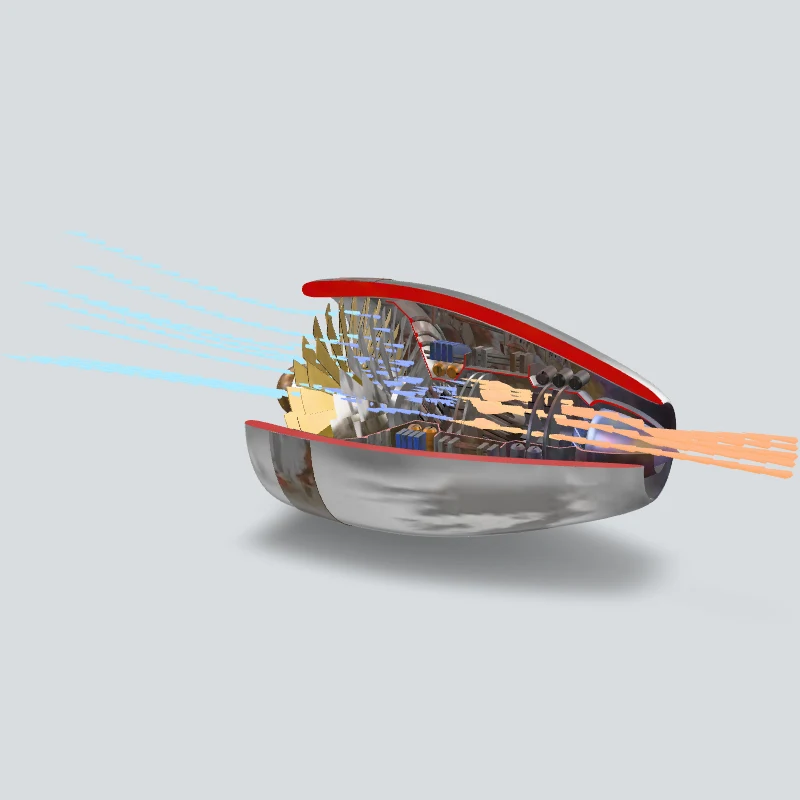
Turbofan Engine Cutaway
Place a cut-open turbofan in your room and watch the fan, compressor and turbine turn, with a note on each stage.
Open AR
What the teacher does
- 1Upload a GLB or pick a model from the built-in library.
- 2Add hotspots to label the parts.
- 3Publish and print the QR code on a worksheet or a slide.
What students do
Students scan the code and open the model in the browser. Floor AR places it on the desk or floor, and you choose Auto fit or Real size. On iPhone, floor AR opens in Quick Look, so hotspots show in 3D view and not during AR.
Frequently asked questions
Do students need an account or an app?
No account. The model opens in the phone's browser.
Who creates the account?
The teacher. Accounts are for people 18 and over.
Is it free for a class?
The free plan includes 2 experiences and 500 views a month. Each time a student opens an experience counts as a view.
Does the camera send video anywhere?
Camera AR runs on the phone. No video is uploaded.
Where do I get 3D models?
Pick from the built-in library, or upload a GLB from any 3D tool.