Upload a GLB. Get a QR code that opens AR.
Upload a 3D model in GLB format, pick an AR type and publish. Vi3w creates a link and a QR code. When someone scans the code with their phone camera, the model opens in the browser.
Open a live example on your phone

Scan with your phone camera
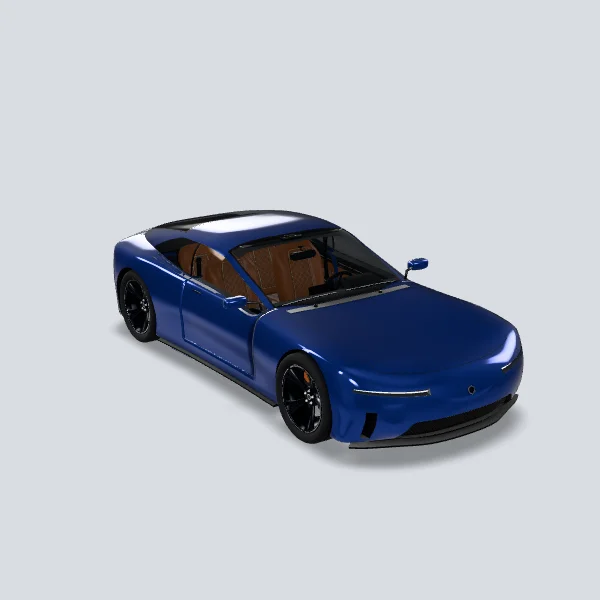
Sports Coupe at Real Size
Park a 4.55 m sports coupe in your driveway in AR and walk around it at true scale. Tap it to turn the wheels and open the doors. Pinch to shrink it if you are short on space.
Open AR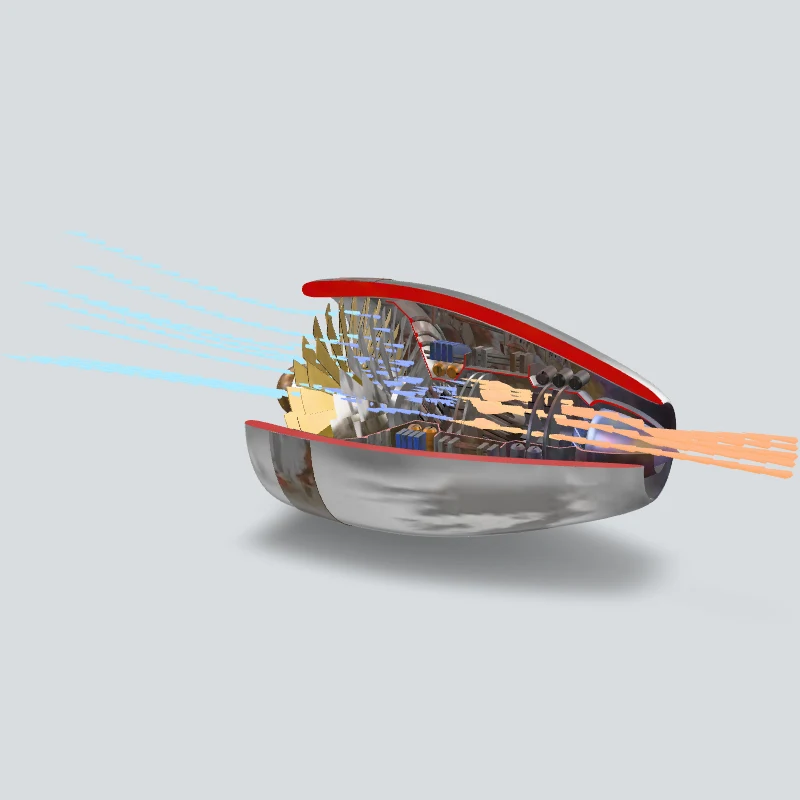

Scan with your phone camera
Turbofan Engine Cutaway
Place a cut-open turbofan in your room and watch the fan, compressor and turbine turn, with a note on each stage.
Open AR
How it works
- 1Upload a GLB file. It is prepared for phones automatically. No file yet? Pick a model from the built-in 3D library.
- 2Pick an AR type: 3D viewing, floor AR, image tracking, face or location. Add hotspots to label parts of the model.
- 3Publish. Download the QR code as PNG or SVG for print, or share the link.
Where it opens
Safari on iPhone, Chrome on Android and in-app browsers such as KakaoTalk. Floor AR opens in Quick Look on iPhone and in in-browser AR (WebXR) or Scene Viewer on Android.
Frequently asked questions
Which files can I upload?
GLB. Uploads are prepared for phones automatically.
Is it free?
Yes. The free plan includes 2 experiences, 3 models and 500 views a month, with no card.
Do viewers need an account?
No. They scan the code and the experience opens in the browser.
Does the link expire?
Published experiences stay up. On the free plan, visitors see a limit notice after 500 views in a month until the next month starts.
Can I reuse the QR code after changing the model?
Yes. The code keeps pointing at the same experience. Change the model, publish again and the printed code opens the new version.